ACE Add New User
Last updated: July 29, 2025
Add a New User
Log into the ACE environment as Admin
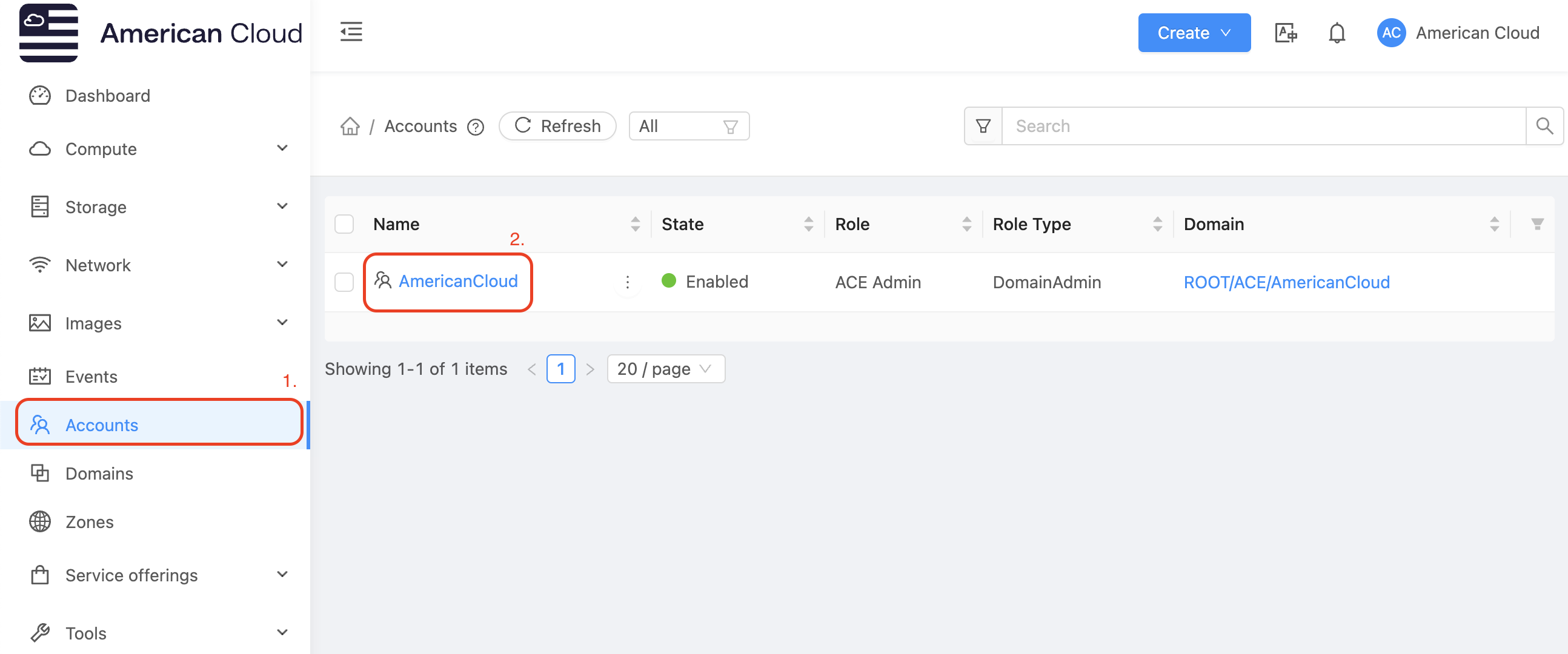
In the left-hand navigation bar select Accounts
Select the account to add the new user to. For example AmericanCloud in the display below
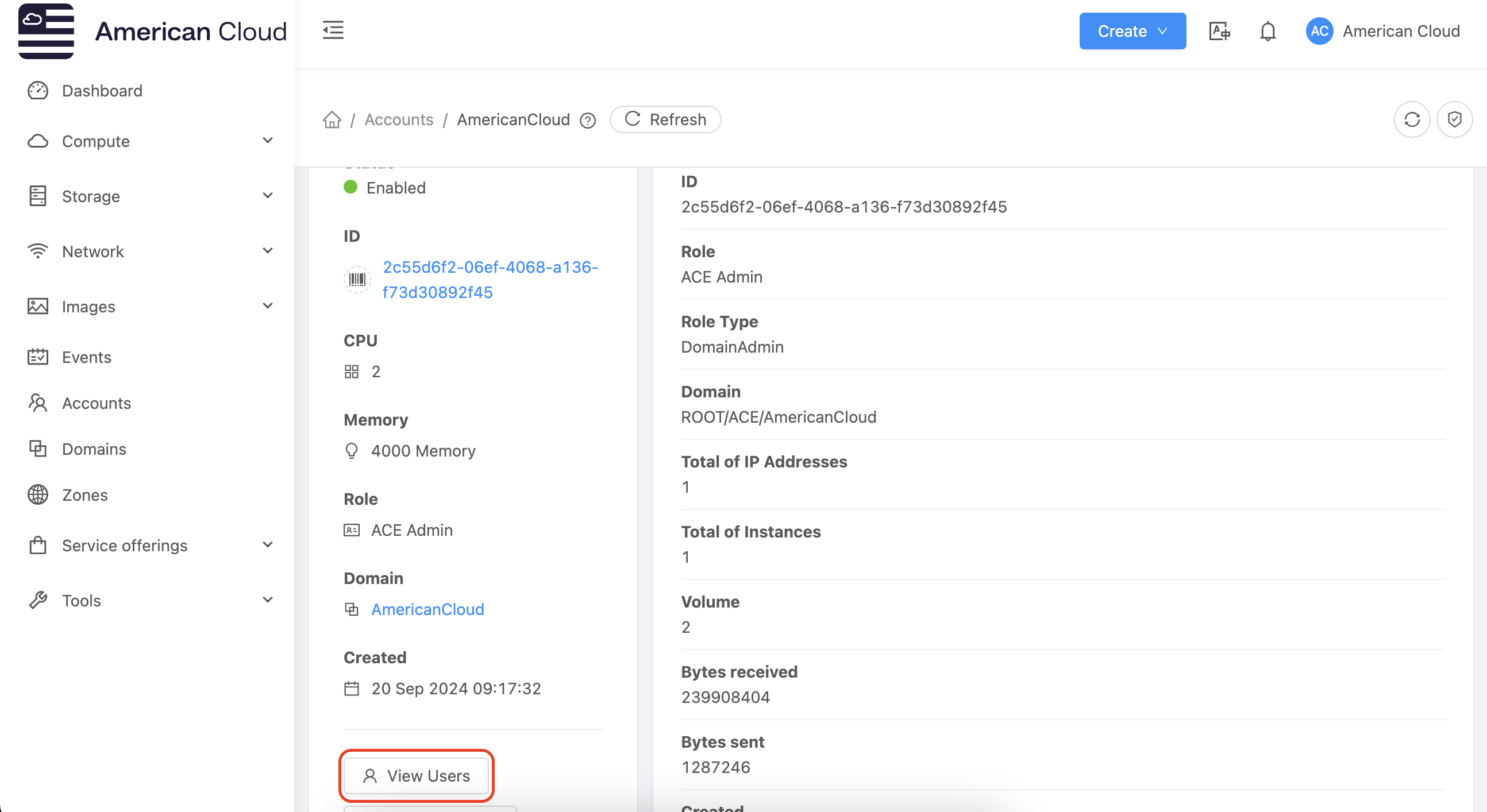
Once inside the account select view users
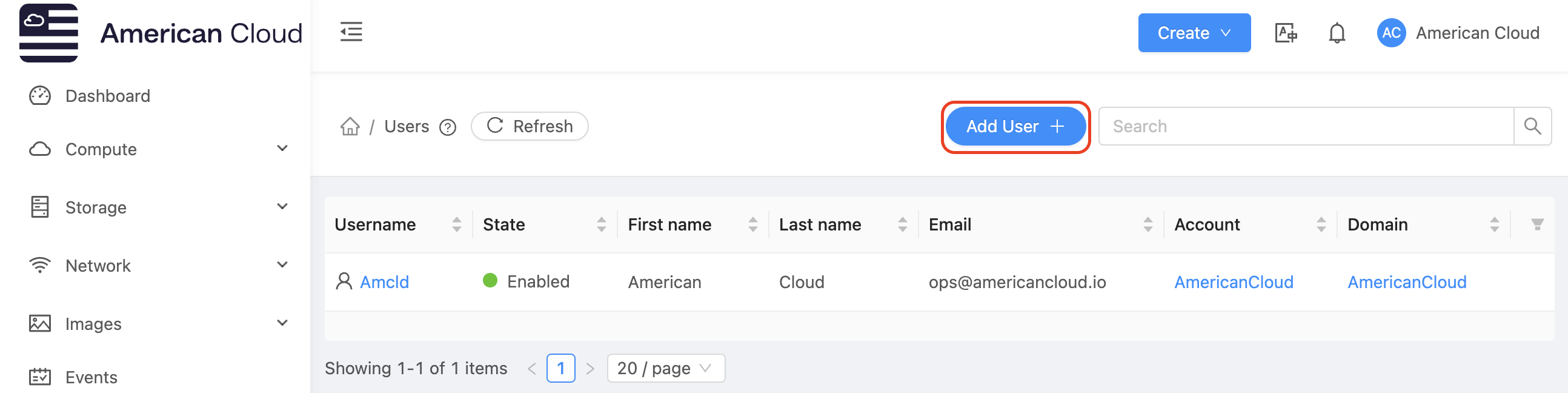
Select Add User + from the top right of the page
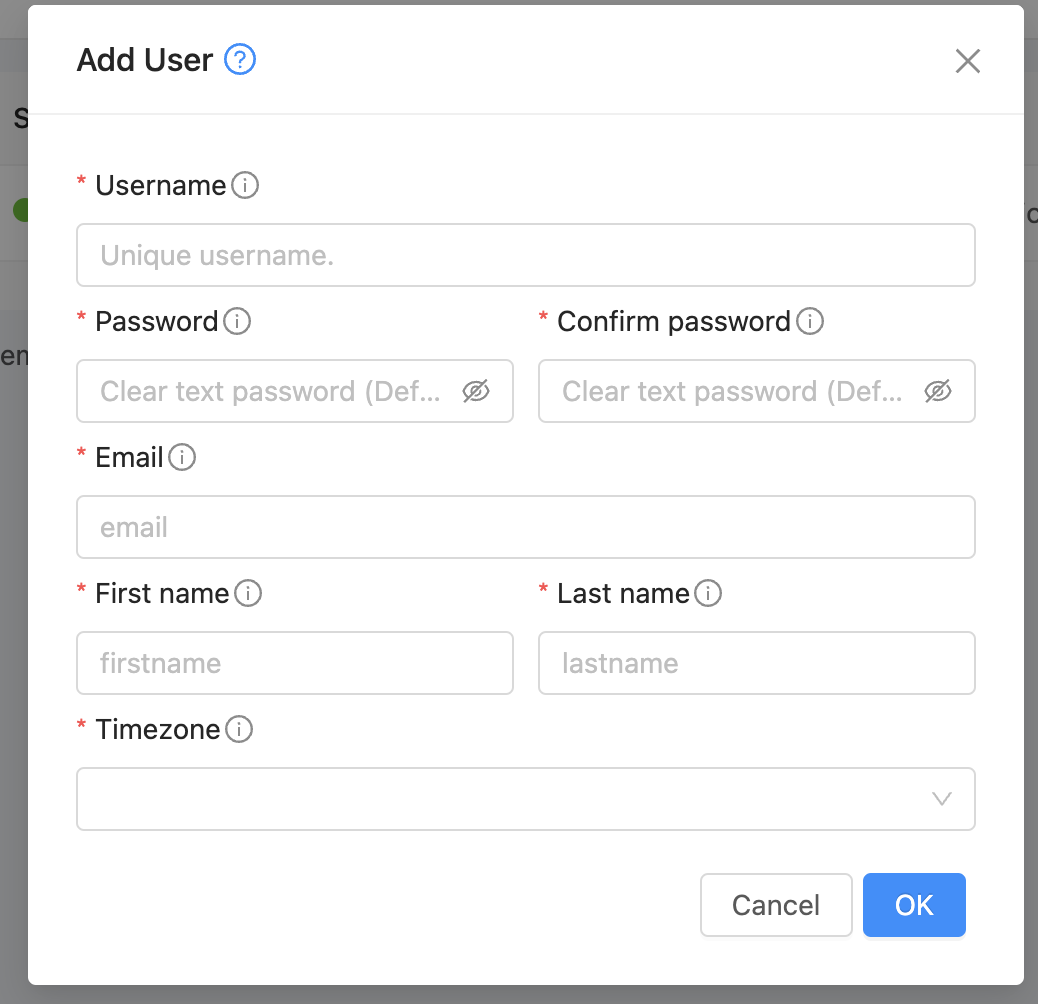
Finally add the required information for the user and select OK.
Record the new user's credentials into the preferred password management client
[ On this page ]